Multi-Platform Enterprise Deployment & Notification Orchestrator
The Challenge
Manual code releases and documentation approvals caused operational delays. Development teams lacked immediate visibility into build outcomes or pipeline failures. Additionally, self-hosted build nodes lacked pre-installed runtimes, secret variables occasionally contained corrupting byte order marks (BOM), and execution processes had to dynamically handle multi-stage database deployments.
Technical Stack
The Solution: Dual-Platform Pipeline & Automated Gates
I architected a continuous delivery pipeline triggered by SharePoint approvals. It orchestrates downstream data processing workflows using Apache Airflow and publishes status cards straight to Microsoft Teams channels. For code validation and pull requests, I integrated a robust GitHub Actions workflow pipeline to execute dry-runs against Google BigQuery.
Azure DevOps CI/CD
Constructed build definitions (`azure-pipelines-build.yml`) that bootstrap isolated execution runners to run validation scripts manually.
GitHub Actions Validation
Designed validation flows (`bigquery-validate.yml`) utilizing GitHub repository secrets to trigger dry-run SQL syntax tests.
Airflow Orchestration
Schedules daily ETL tasks and executes downstream database refreshes inside an Airflow DAG once deployment finishes.
SharePoint Approval Gates
Triggers automated deployment cycles instantly when configuration or release documents receive approvals.
Teams & Power Automate Alerts
Format status block adaptive cards in Teams, alerting engineers of pipeline state transitions, deployment success, or build warnings.
Engineering Highlights & Fixes
The Impact
- 80% Time Reduction: Replaced manual approval processes and release hand-offs with immediate automated CD triggers.
- Strict Compliance: Formed a complete audit trail syncing deployment gates with SharePoint records.
- Real-Time Visibility: Reduced incident resolution times by alerting engineering teams within seconds of build disruptions.
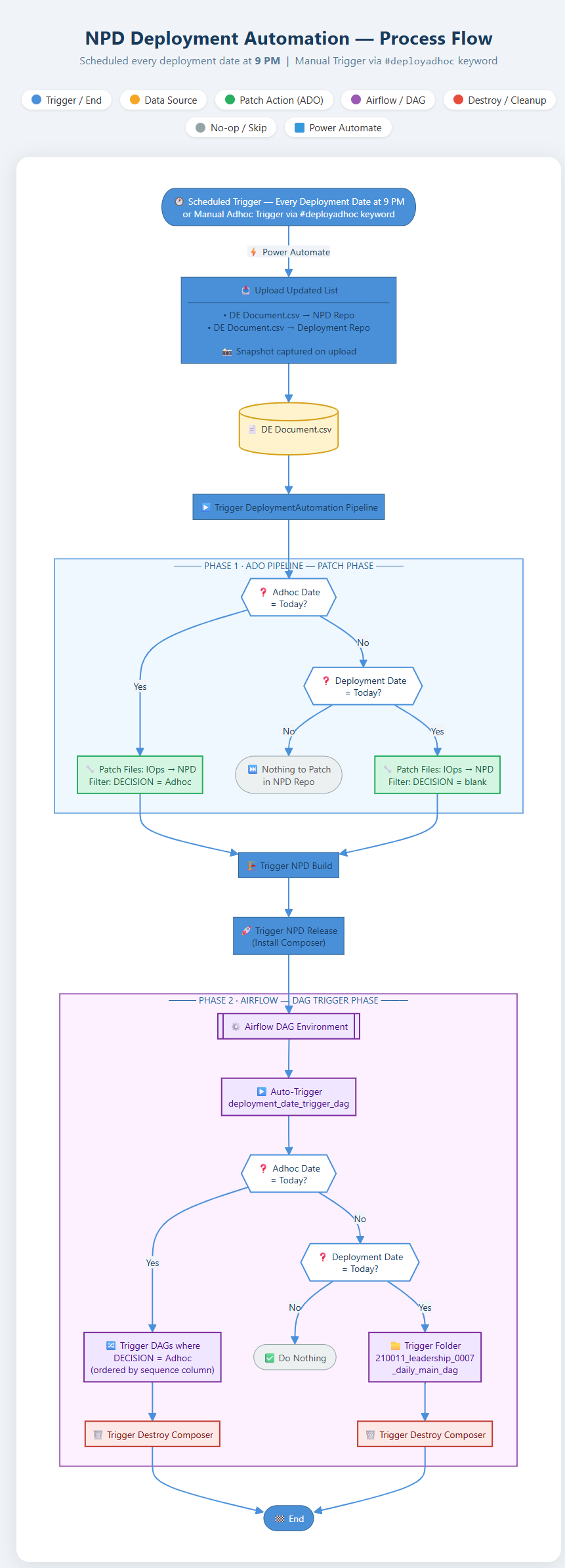
NPD Deployment Automation Process Flow
To minimize Google Cloud Platform infrastructure overhead, I architected a transient pipeline deployment workflow. Instead of maintaining a costly 24/7 Apache Airflow (Cloud Composer) instance, the environment is dynamically provisioned, executed, and torn down. Below is the end-to-end automation flowchart.
How It Works: Step-by-Step
Key Data Engineering Highlight
By coordinating Power Automate triggers with Azure DevOps conditional pipelines and Airflow environment lifecycle managers, this architecture achieves serverless efficiency for large-scale enterprise workflows.
Enterprise Automation Architecture & AI Pipeline Topology
High-level architectural blueprint visualizing the end-to-end event-driven orchestration layer. Integrates SharePoint document triggers, Azure DevOps build runners, Google Cloud Composer (Airflow) container lifecycle managers, and automated Teams notifications.
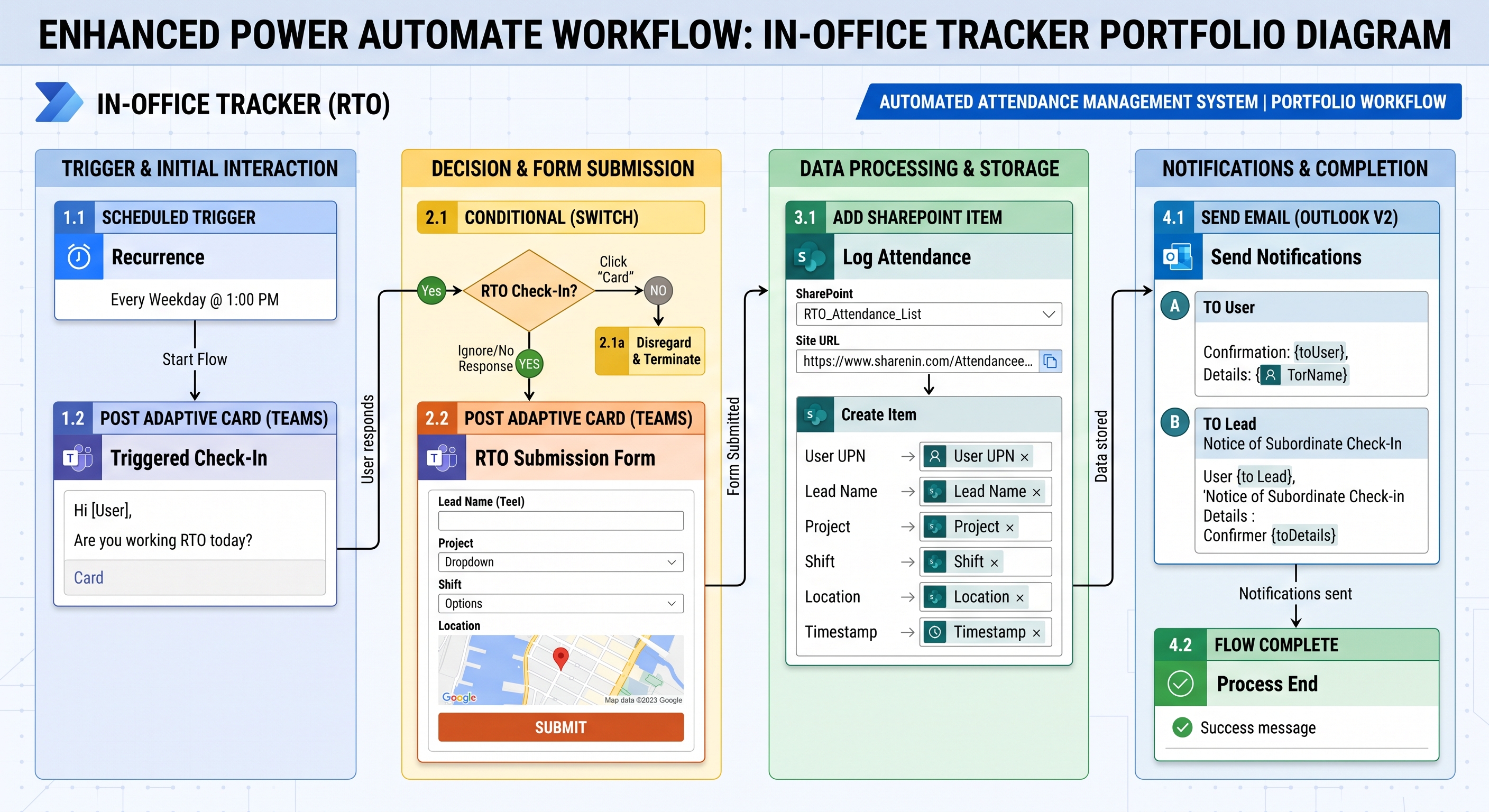
Figure 1.1: Event-Driven Automation Topology — SharePoint → Azure DevOps → Apache Airflow → BigQuery → Teams Notifications
Video Walkthrough: Connecting Azure DevOps to Google BigQuery
A 4-minute technical walkthrough demonstrating the continuous integration and delivery (CI/CD) workflow. The video showcases configuring pipeline variables, running the Azure DevOps pipeline build definitions (`Virenesis_Build`), executing automated SQL data modeling tasks (`02_sample_ecommerce_data.sql` to generate a 10,000 row mock dataset), and verifying the schema deployment inside Google BigQuery Studio.